> For the complete documentation index, see [llms.txt](https://docs.solmatebot.com/llms.txt). Markdown versions of documentation pages are available by appending `.md` to page URLs; this page is available as [Markdown](https://docs.solmatebot.com/web-dashboard/snapshots.md).
# Snapshots
Create and manage holder snapshots from the web dashboard.
The **Snapshots** tab on the dashboard lets you create, view, and download snapshots of NFT collection or token holders.
{% hint style="warning" %}
**Premium required:** Snapshots are a premium feature. Free plans have 0 snapshots available.
{% endhint %}
## Creating a Snapshot
1. Go to [solmatebot.com/manage](https://solmatebot.com/manage) > select your server
2. Click the **Snapshots** tab
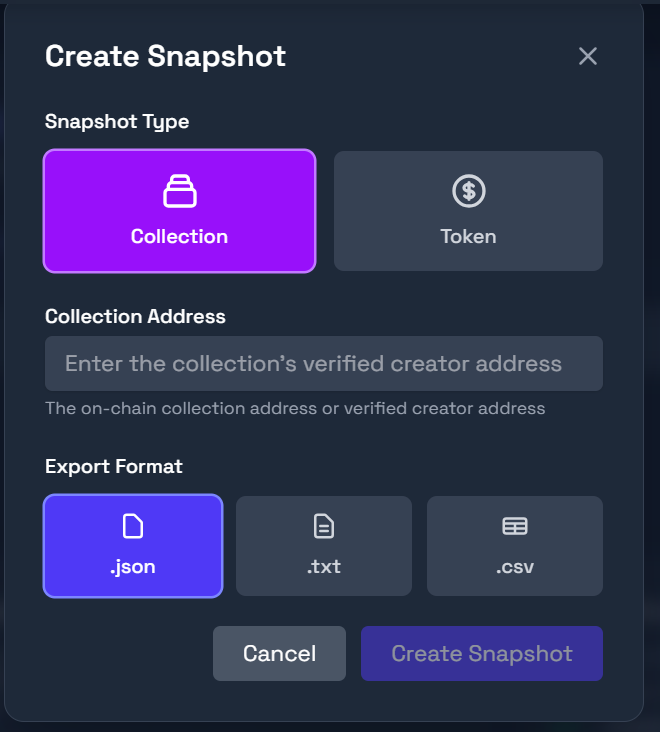
3. Click **Create Snapshot**
4. Choose the type:
* **Collection snapshot** — all holders of an NFT collection
* **Token snapshot** — all holders of an SPL token
5. Enter the address or symbol
6. Select the file format: **JSON**, **TXT**, or **CSV**
7. Click **Create**
Creating a snapshot on the dashboard
The snapshot will be generated and automatically downloaded.
## Viewing Snapshots
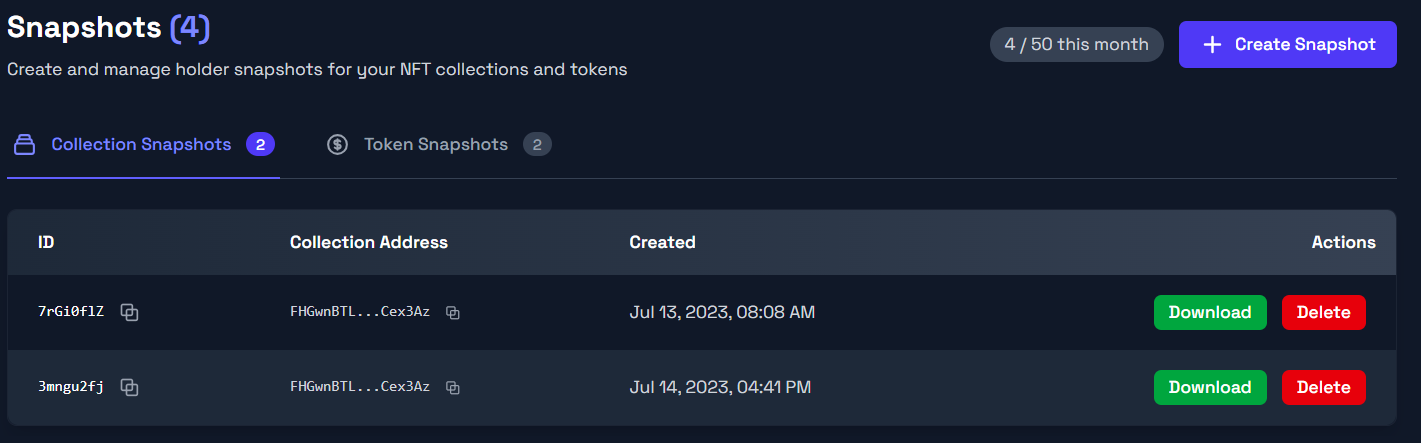
All previously created snapshots are listed on the tab. You can filter between collection and token snapshots using the sub-tabs.
Each snapshot shows:
* Creation date and time
* Address/ID used
* Type indicator (collection or token)
* **Download** button
* **Delete** button
Snapshot list with download options
## Snapshot Limits
| Plan | Snapshots |
| --------- | --------- |
| Free | 0 |
| Plus | 5 |
| Pro | 10 |
| Community | 50 |
The create button is disabled when you've reached your plan's limit.