> For the complete documentation index, see [llms.txt](https://docs.solmatebot.com/llms.txt). Markdown versions of documentation pages are available by appending `.md` to page URLs; this page is available as [Markdown](https://docs.solmatebot.com/web-dashboard/account-and-wallets.md).
# Account & Wallets
Manage your personal account and connected wallets.
Your account page at [solmatebot.com/account](https://solmatebot.com/account) lets you manage your personal wallets and account information.
## Account Information
After logging in, you'll see:
* Your Discord username
* Your Discord ID (with a copy button)
## Managing Wallets
Your connected wallets are used for holder verification across all servers that use Solmate.
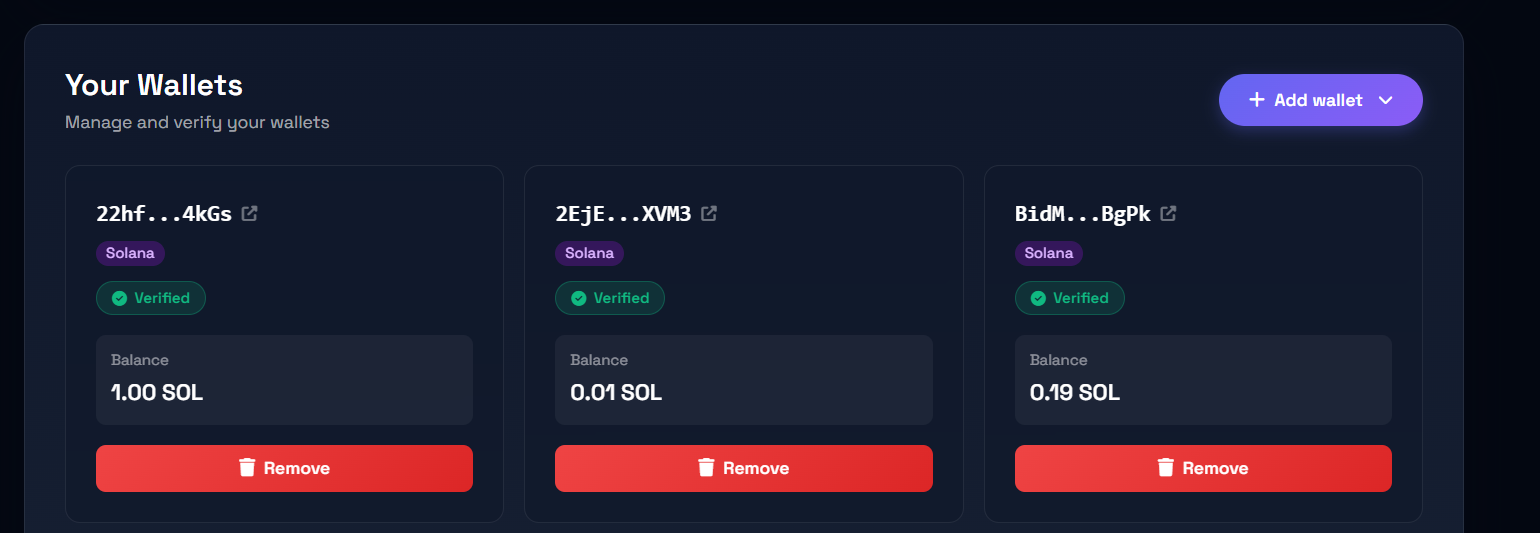
Account page showing connected wallets
### Adding a wallet
1. Click **Add new wallet**
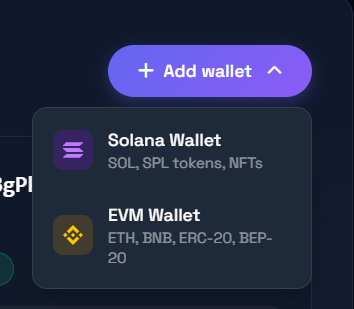
2. Choose the wallet type:
* **Solana Wallet** — for SOL, SPL tokens, and NFTs
* **EVM Wallet** — for ETH, BNB, ERC-20, and BEP-20 tokens
Choosing wallet type to add
3. You'll be redirected to the verification page to prove wallet ownership
### Verifying a wallet
After adding a wallet, you need to verify it. You have two options:
{% tabs %}
{% tab title="Sign a Message" %}
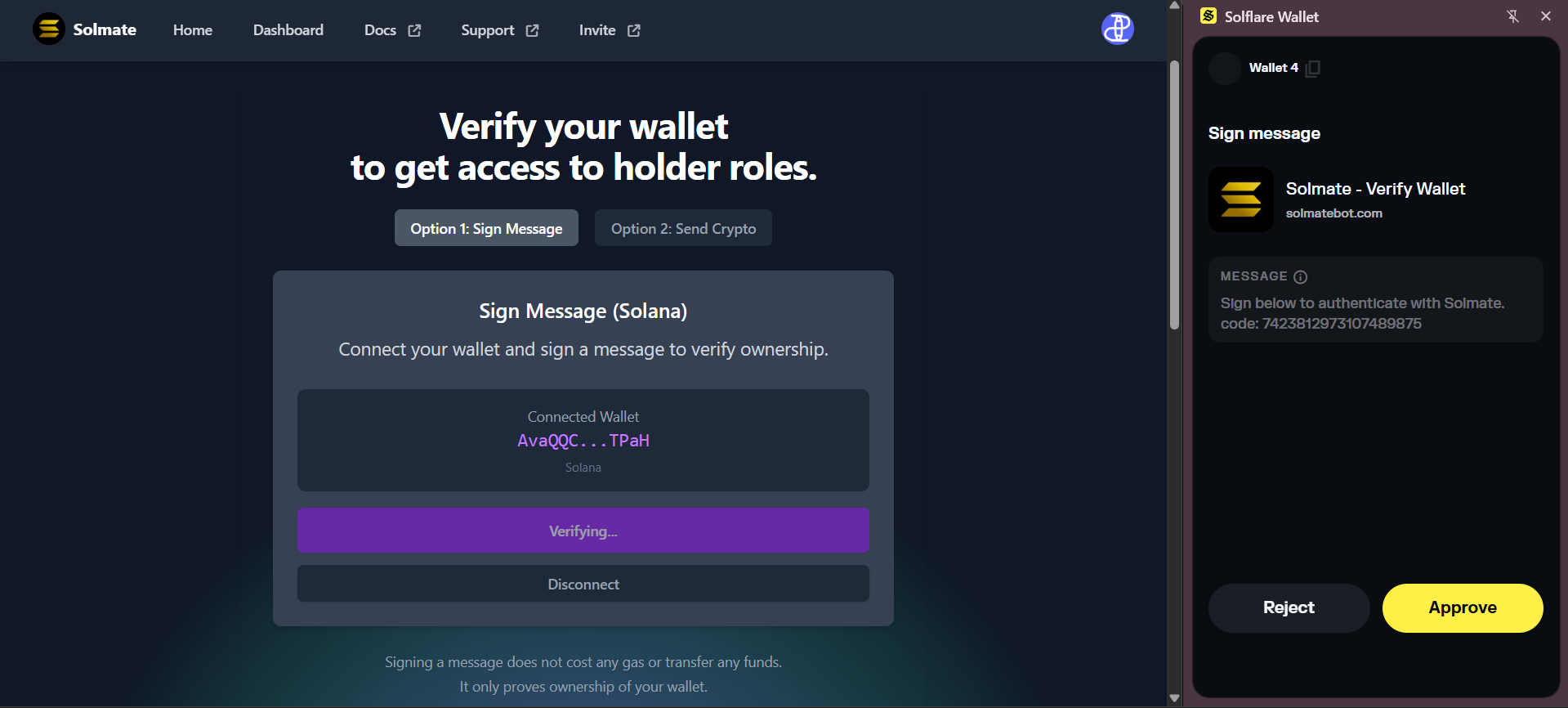
1. Connect your wallet (Phantom, Solflare, MetaMask, Trust Wallet, Coinbase Wallet, and 300+ more supported)
2. Sign a message when prompted
3. This does **NOT** trigger a blockchain transaction and costs nothing
Signing a verification message
{% endtab %}
{% tab title="Send a Transaction" %}
1. Send a small amount of SOL (or BNB for EVM) to the displayed address
2. Enter the transaction ID/hash on the verification page
3. Your wallet is verified once the transaction is confirmed
This method works if you can't connect your wallet directly (e.g., hardware wallets).
{% endtab %}
{% endtabs %}
### Wallet cards
Each connected wallet shows:
* Shortened wallet address (linked to block explorer)
* Network badge (Solana or EVM)
* Verification status and date
* SOL balance (for Solana wallets)
* **Verify** button (if not yet verified)
* **Remove** button
### Removing a wallet
Click the **Remove** button on the wallet card to disconnect it from your account.
{% hint style="danger" %}
**Safety reminder:** The verification page will only be on `solmatebot.com` or `spruijtstudios.com`. If the domain is different, it's fake — contact Solmate staff immediately.
{% endhint %}