> For the complete documentation index, see [llms.txt](https://docs.solmatebot.com/llms.txt). Markdown versions of documentation pages are available by appending `.md` to page URLs; this page is available as [Markdown](https://docs.solmatebot.com/telegram-bot/tracking-wallets.md).
# Tracking Wallets
Track Solana wallets on Telegram and get instant transaction notifications.
## Adding a Tracker
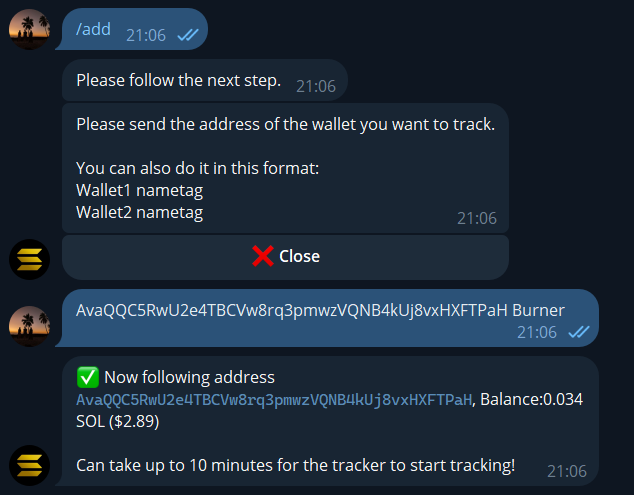
1. Type `/add` or tap the **Trackers** button from the main menu, then tap **Add**
2. Send the wallet address (or `.sol` domain), one per line
3. Optionally include a nametag after the address:
```
7xKXtg2CW87d9pR4 Team Wallet
9yMNzp3EQ124kL8 Whale
```
4. The bot validates each address and confirms the addition
Adding a wallet tracker on Telegram
{% hint style="info" %}
**Free users:** Wallets must have a minimum balance of 0.001 SOL and must be your own wallet. Premium users can track any wallet, even empty ones.
{% endhint %}
## Transaction Notifications
Once a tracker is active, you'll receive instant notifications for:
| Event | Description |
| ------------------ | --------------------------------------------------------- |
| **Swaps** | Buy/sell transactions with token details and market cap |
| **Transfers** | SOL and token transfers between wallets |
| **Token creation** | When the wallet creates a new token |
| **Burns** | Token burn transactions |
| **Limit orders** | Jupiter limit order creation, execution, and cancellation |
| **Fee claims** | Pump.fun fee claims |
### Notification format
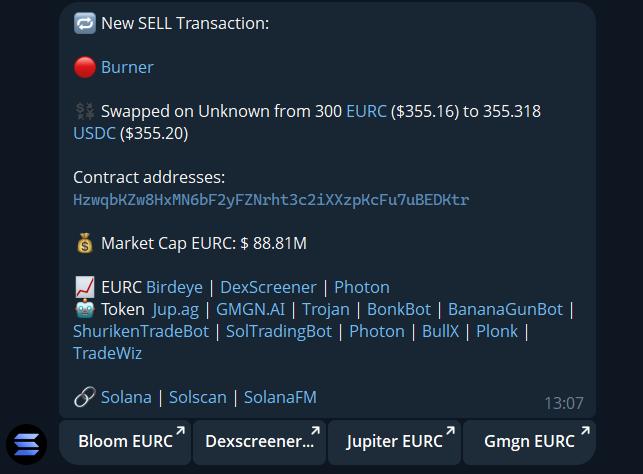
Each notification includes:
* Direction indicator (green for buy, red for sell, blue for multi-token swap)
* Wallet name/address
* Exchange used (Jupiter, Raydium, etc.)
* Token amounts and prices
* Market cap information
* Quick-action buttons (customizable in Settings)
A swap notification on Telegram
## Managing Trackers
### View all trackers
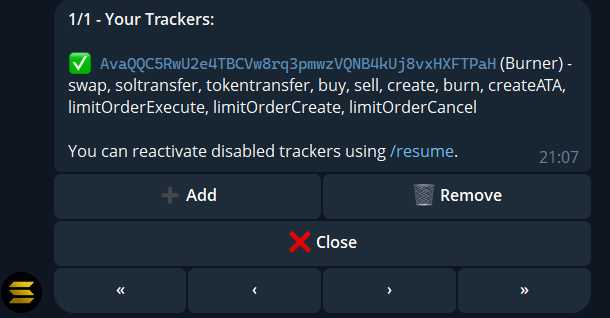
Tap **Trackers** from the main menu to see all tracked wallets with pagination (10 per page). Each entry shows:
* Active/inactive status
* Wallet address with nametag
* Tracked event types
Tracker list with pagination
### Remove a tracker
Type `/remove` or tap **Remove** in the Trackers menu, then follow the prompts to select which wallet to stop tracking.
### Pause & resume
* `/stop` — pauses **all** active trackers
* `/resume` — resumes **all** paused trackers
### Export trackers
`/export` — downloads a `.txt` file with all your tracked wallet addresses and nametags.
### Reset everything
`/reset` — removes all trackers and nametags. You'll need to type `yes` to confirm.
## Nametags
Give your tracked wallets human-readable names:
1. Tap **Nametags** from the main menu
2. Tap **Add** and follow the prompts
3. Enter the wallet address and desired name
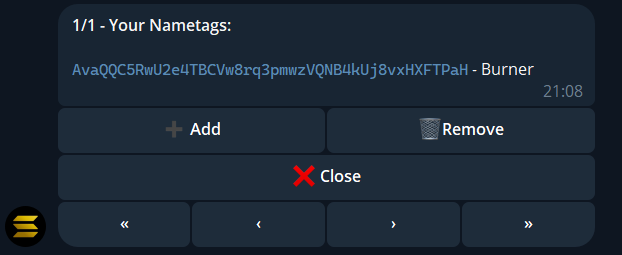
Nametags appear in all notifications instead of the raw address.
Managing nametags on Telegram
## Token Lookup
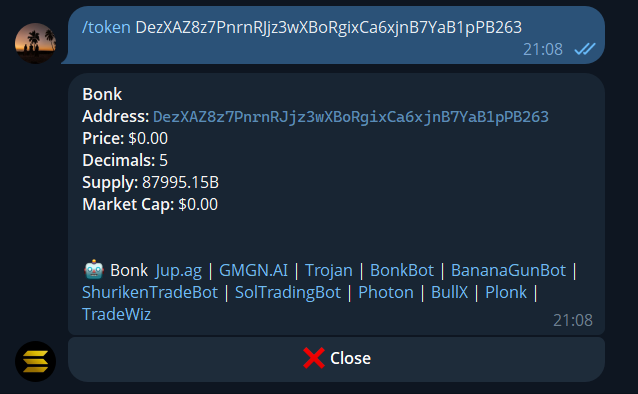
Use `/token ` to look up any token. Shows:
* Token name, price, and contract address
* Market cap, decimals, and supply
* Security info (top holder concentration, liquidity, mint/freeze authority)