> For the complete documentation index, see [llms.txt](https://docs.solmatebot.com/llms.txt). Markdown versions of documentation pages are available by appending `.md` to page URLs; this page is available as [Markdown](https://docs.solmatebot.com/discord-commands/verifysignature.md).
# /verifysignature
Verify wallet ownership by providing a signed message.
Verify that you own a wallet by submitting a signature, message, and public key. This is an alternative verification method for users who prefer not to connect their wallet through the website.
## Usage
`/verifysignature`
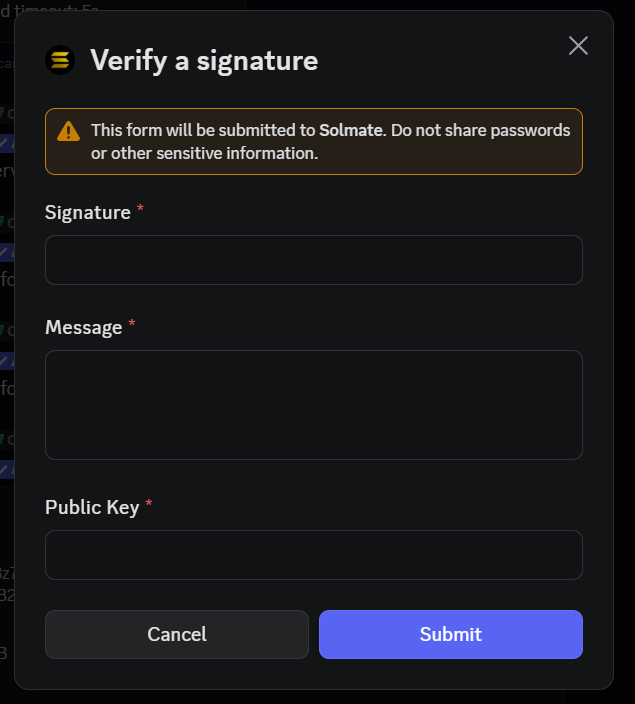
No options — a popup form will appear.
## How it works
1. Type `/verifysignature` and press Enter
2. A popup will appear with three fields:
* **Signature** — the signed message
* **Message** — the original message that was signed
* **Public Key** — your wallet address
3. Fill in the fields and submit
The verification signature popup
If the signature is valid, you'll see a confirmation message.