> For the complete documentation index, see [llms.txt](https://docs.solmatebot.com/llms.txt). Markdown versions of documentation pages are available by appending `.md` to page URLs; this page is available as [Markdown](https://docs.solmatebot.com/discord-bot-features/snapshots.md).
# Snapshots
Take a snapshot of all holders of an NFT collection or token.
Snapshots let you capture a list of all current holders of an NFT collection or SPL token. This is useful for airdrops, raffles, or analytics.
{% hint style="warning" %}
**Premium required:** Snapshots are a premium feature. Free plans have 0 snapshots available. See [Premium Plans](/getting-started/premium-plans.md).
{% endhint %}
## NFT Collection Snapshot
### Via Discord
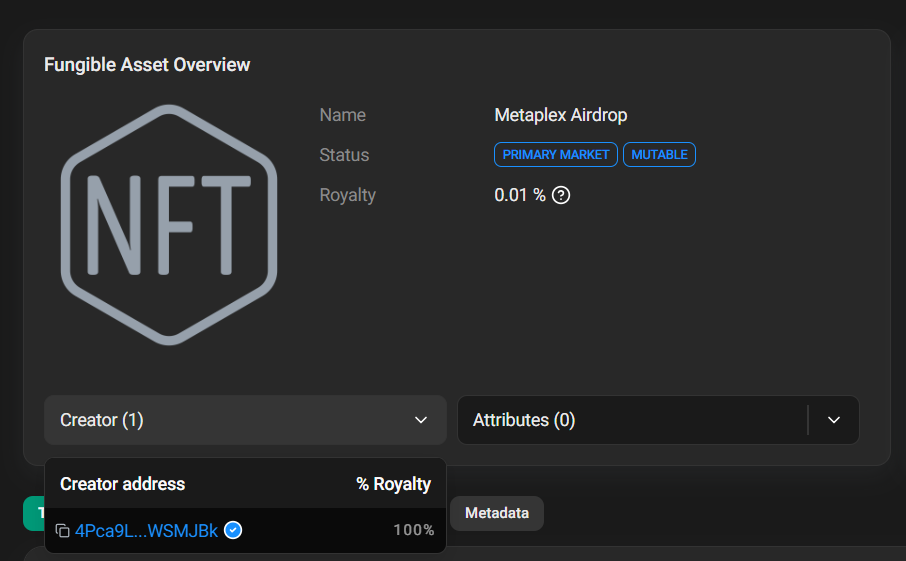
1. Find the **verified creator address** of the collection (you can find this on Magic Eden or an explorer)
2. Type `/snapshot`
3. Select the output **file type** (JSON, TXT, or CSV)
4. Enter the verified creator address
5. Press Enter and wait a few seconds
Where to find the verified creator address
Snapshot result with downloadable file
### Via Web Dashboard
1. Go to [solmatebot.com/manage](https://solmatebot.com/manage) > select your server
2. Click the **Snapshots** tab
3. Select "Collection snapshot"
4. Enter the address/symbol
5. Choose the file format
6. Click Create
## Token Snapshot
Capture all holders of an SPL token.
### Via Discord
Type `/tokensnapshot` and enter the token address.
Token snapshot command
### Via Web Dashboard
Same steps as above, but select "Token snapshot" instead.
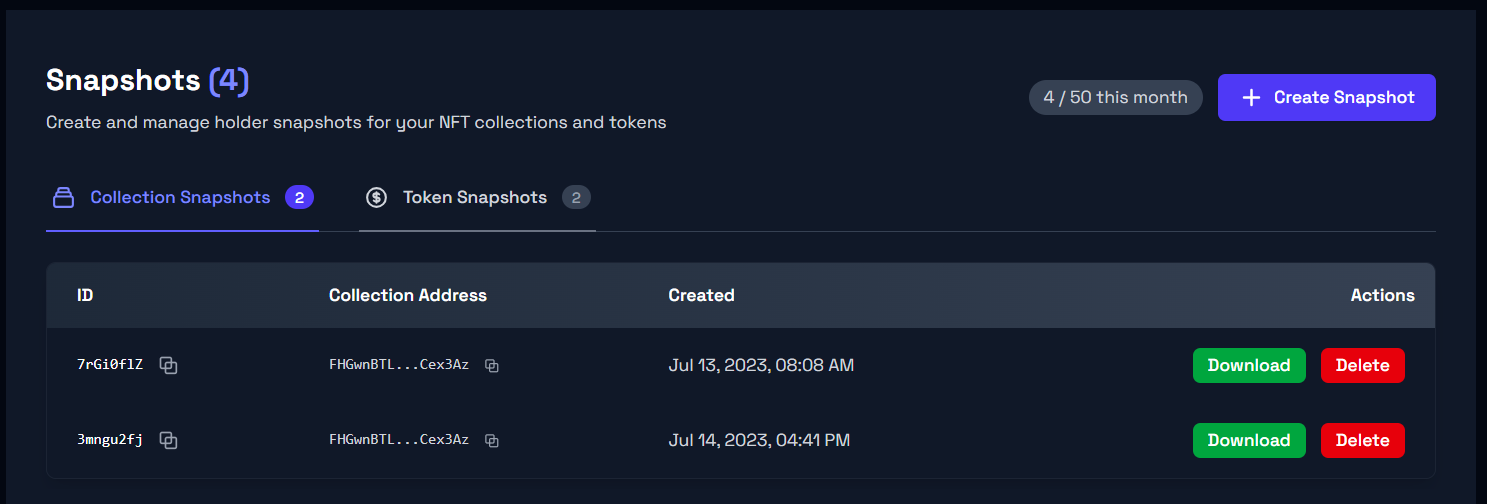
## Managing Snapshots
On the web dashboard, you can:
* View all previously created snapshots
* Download snapshot files
* Delete old snapshots
## Snapshot Limits
| Plan | Snapshots |
| --------- | --------- |
| Free | 0 |
| Plus | 5 |
| Pro | 10 |
| Community | 50 |