> For the complete documentation index, see [llms.txt](https://docs.solmatebot.com/llms.txt). Markdown versions of documentation pages are available by appending `.md` to page URLs; this page is available as [Markdown](https://docs.solmatebot.com/discord-bot-features/server-stats.md).
# Server Stats (Counters)
Display live Solana data in voice channels — prices, floors, volumes, and more.
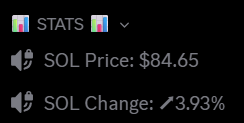
Counters are voice channels that automatically update with live data. Use them to display the SOL price, collection floors, token prices, wallet balances, and more.
Voice channel counters showing live data
## Creating a Counter
1. Type `/stats add`
2. Select the **counter type** from the list
3. Fill in the required options (see table below)
4. Optionally select a **category** to place the channel under
5. Press Enter
The voice channel will be created automatically and update within \~10 seconds.
{% hint style="info" %}
**Tip:** You can change the channel type from voice to text if you prefer.
{% endhint %}
## Counter Types
| Counter Type | Requires Collection | Requires Token | Requires Wallet | Requires Price |
| ---------------------------------- | :-----------------: | :------------: | :-------------: | :------------: |
| Solana price (USD) | | | | |
| Solana price change (%) | | | | |
| Solana TPS | | | | |
| Collection floor price (SOL) | x | | | |
| Collection floor price (USD) | x | | | |
| NFTs listed below price X | x | | | x |
| Total collection volume (SOL) | x | | | |
| Collection volume 24h (SOL) | x | | | |
| Average price 24h | x | | | |
| Amount listed | x | | | |
| Listed total value (SOL) | x | | | |
| SPL token price (USD) | | x | | |
| SPL token price (in another token) | | x + x2 | | |
| SPL token supply | | x | | |
| SPL token market cap | | x | | |
| Token holder count | | x | | |
| Wallet balance (SOL) | | | x | |
| Wallet balance (SPL token) | | x | x | |
| Total wallet net worth | | | x | |
| Wallet PNL (7 day) | | | x | |
| Wallet PNL (30 day) | | | x | |
{% hint style="info" %}
**Collection field:** You can enter the Magic Eden link, collection name, or symbol.
{% endhint %}
## Customizing the Channel Name
You can add a prefix to the counter's channel name. For example, if the channel shows `◎8.79`, you can rename it to `FP: ◎8.79` or `Floor: ◎8.79`.
{% hint style="warning" %}
The prefix must come **before** the data symbol (◎, $, or arrows). Text added after the data will be removed on the next update.
{% endhint %}
## Managing Counters
### List counters
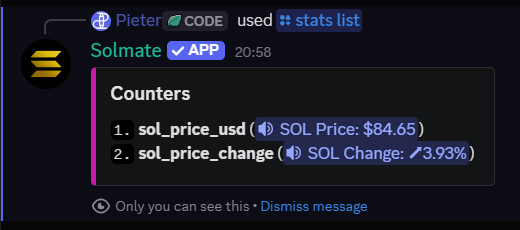
`/stats list` — shows all active counters with their index numbers
Counter list showing all active counters
### Force update a counter
`/stats update` — manually trigger an update for a specific counter
### Delete a counter
`/stats remove` — select the counter by index and press Enter. The voice channel will be deleted automatically.
## Counter Limits
| Plan | Voice Counters |
| --------- | -------------- |
| Free | 2 |
| Plus | 20 |
| Pro | 20 |
| Community | 30 |
{% hint style="info" %}
If a counter is not updating, make sure Solmate has **Manage Channels** and **Connect** permissions in the category where the channel is located.
{% endhint %}